

The bottom line: Pipedrive acts as a specialized surgical tool for pure sales efficiency, whereas Zoho serves as a massive ecosystem. Pipedrive wins on intuitive UX and rapid adoption, while Zoho dominates on value with its free plan and 70+ integrated apps for marketing and support.
Most businesses bleed revenue because they choose a CRM that is either a bloated mess or a toy, leaving their sales teams paralyzed. In this no-nonsense Pipedrive vs Zoho comparison, I analyze the hard data to see if you need Pipedrive’s laser-focused sales logic or Zoho’s massive all-in-one utility. Here is the verdict on which platform actually delivers a return on investment and which one is just a cost center.
- Summary of Our Pipedrive vs Zoho Comparison
- Pipedrive: The Sales-Focused Specialist
- Zoho: The All-In-One Business Suite
- Pipedrive vs Zoho: Feature Showdown
- Pipedrive vs Zoho: What’s the Real Cost?
- What Users Are Actually Saying: Customer Reviews
- Should You Get Pipedrive or Zoho?
Summary of Our Pipedrive vs Zoho Comparison
The choice between Pipedrive and Zoho isn’t just a feature comparison; it’s a clash of philosophies. You are deciding between a hyper-specialized sales weapon and a sprawling, generalist business suite.
Here is the fundamental split. Pipedrive is a thoroughbred, engineered for a singular purpose: helping reps sell more with zero friction. Zoho, however, acts as a Swiss Army knife—a massive ecosystem designed to manage your entire enterprise, from finance to support.
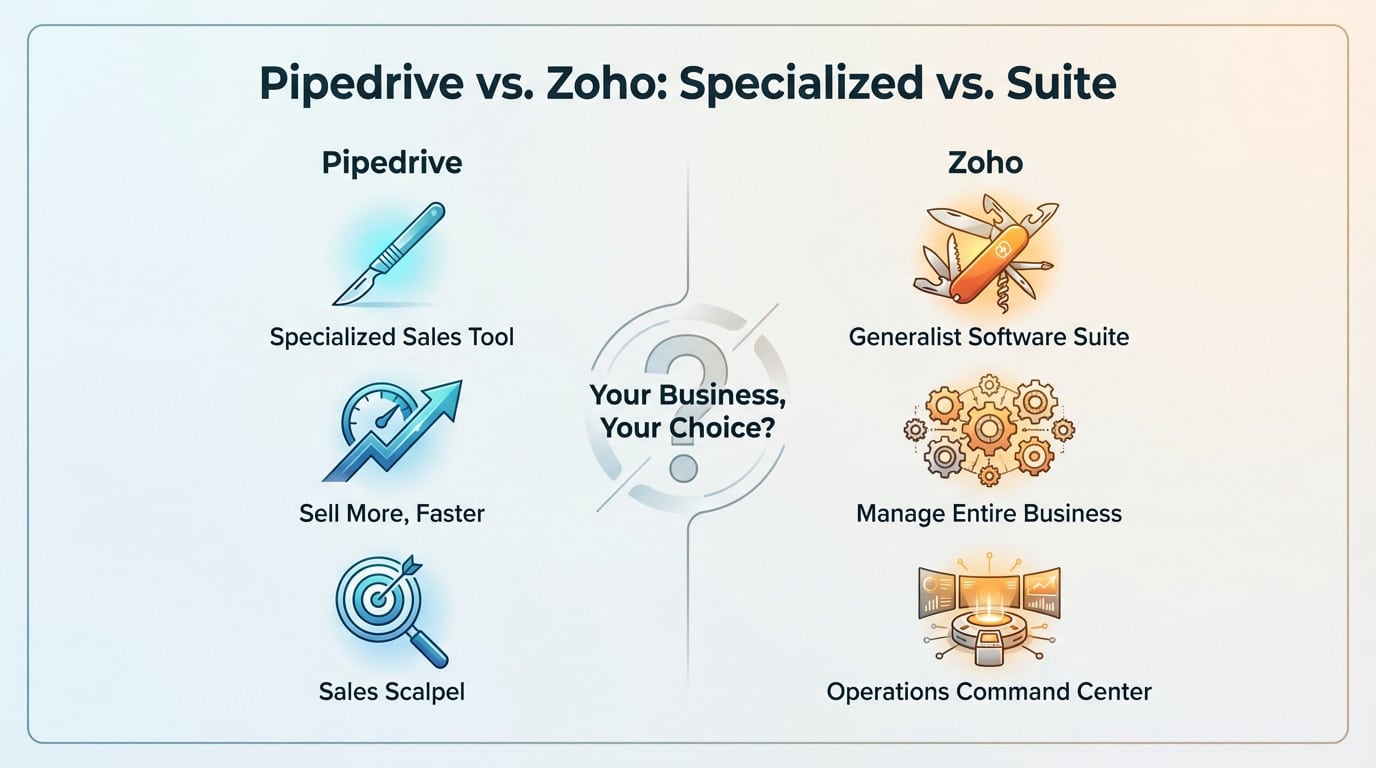
Stop asking which platform is “better” in a vacuum. The real question is whether your business demands a surgical scalpel to fix a broken sales process, or a broad command center to oversee every operational department.
Pipedrive: The Sales-Focused Specialist
Most CRMs feel like data prisons, but Pipedrive is different because it was designed by salespeople, for salespeople. Every menu and button exists solely to reduce friction in your sales process.
Pipedrive’s core mission is to make salespeople unstoppable. It’s all about action, clarity, and closing deals without getting bogged down by administrative tasks.
You won’t need an IT degree to figure this out; the interface is visual and incredibly intuitive. Teams actually use it because they immediately see how it manages their pipeline. No six-month training seminars are required here.
This is the tool for commercial teams who want a CRM that knows its place. It acts as a sales assistant, not a bloated enterprise operating system. Check out Pipedrive if you just want to sell.
Zoho: The All-In-One Business Suite
Zoho operates with a totally different ambition than most competitors. The Zoho CRM is merely the front door to a staggering universe of over 70 professional applications designed to run your entire shop.
The concept is providing a single solution for sales, marketing, accounting, HR, and beyond. It’s the exact same dilemma found in the HubSpot vs Odoo debate: choosing a focused specialist against a sprawling, interconnected ERP.
Zoho isn’t just a CRM; it’s a potential operating system for your entire business, aiming to connect every department under a single, affordable umbrella.
But let’s be real. This functional richness comes at a cost: increased complexity and a much steeper learning curve. You must be willing to invest serious time to actually squeeze the best value out of Zoho.
Pipedrive vs Zoho: Feature Showdown
Now that we understand the philosophies, let’s see how they translate into hard features. The devil is usually in the details.
To get a clear picture, nothing beats a direct comparison. Here is exactly how Pipedrive and Zoho clash on the essentials.
| Feature | Pipedrive | Zoho CRM |
|---|---|---|
| Sales Pipeline Management | ✅ Visual and ultra-intuitive. Unlimited pipelines. Built for action. | ✅ Robust and functional. Less visual by default, but customizable. |
| User Interface & Ease of Use | ✅ Extremely simple and clean. Very fast adoption. | ❌ Cluttered and complex. Requires adaptation time. |
| Marketing & Support Tools | ❌ Limited. Requires paid add-ons (Campaigns, etc.) or integrations. | ✅ Vast suite of natively integrated marketing and support tools (Campaigns, Desk). |
| Customization | ✅ Good pipeline customization. | ✅ Deep customization (Zoho Canvas) to redesign the entire interface. |
| AI Assistant | ❌ AI less mature, focused on sales suggestions. | ✅ Mature AI (Zia) integrated for forecasting, analytics, and automation. |
| Ecosystem | ❌ Specialized tool. Relies on an integration marketplace. | ✅ Giant ecosystem of over 70 native applications. |
Pipeline Management: The Core of Sales
This is where Pipedrive absolutely dominates. The drag-and-drop pipeline management is fluid, logical, and actually motivates sales reps to push their deals forward. It feels like the engine of the entire experience.
Zoho checks the box, sure, but it is less central to its design. You get the sense that it’s just one feature among many, not the sole reason for the tool’s existence.
Beyond Sales: The All-in-One Promise
If your needs extend beyond pure sales, the advantage swings to Zoho. Launching an email campaign, managing support tickets, or analyzing web traffic happens right inside the same ecosystem.
With Pipedrive, you will have to connect third-party tools for these tasks. It is doable, but it means managing multiple subscriptions and integrations that can sometimes be fragile, a point to consider when comparing other CRMs like in this Monday vs HubSpot guide.
AI and Automation: Zia vs The Newcomer
Zoho has a serious head start here with Zia, its AI assistant. It can predict the probability of closing a sale, suggest the best time to contact a prospect, and automate tedious tasks.
Pipedrive’s AI is newer and much more targeted. It focuses strictly on sales assistance, such as lead prioritization, rather than broad business intelligence.
Pipedrive vs Zoho: What’s the Real Cost?
Pricing is often where the battle ends before it begins. The most glaring difference is impossible to ignore: Zoho has a free plan, while Pipedrive strictly charges for access.
Zoho offers a surprisingly generous forever-free tier for three users, making it a no-brainer for bootstrapping. Even their paid tiers are extremely competitive, packing a massive feature set into a monthly bill that won’t make you sweat.
- Zoho Plans:
- Free: Up to 3 users, basic features.
- Standard: ~€9/user/month.
- Professional: ~€16/user/month.
- Enterprise: ~€27/user/month.
Conversely, Pipedrive is objectively more expensive right out of the gate. You get a trial, not a free tier, and the price tag climbs steep if you need advanced logic or those necessary paid add-ons.
- Pipedrive Plans:
- Lite: $14/user/month.
- Growth: $39/user/month.
- Premium: $59/user/month.
- Ultimate: $79/user/month.
Here is the brutal truth: if budget is your number one criteria, Zoho wins this round without breaking a sweat. Pipedrive defends its premium pricing by delivering a superior, focused user experience, betting that a smoother tool eventually pays for itself through higher sales velocity.
What Users Are Actually Saying: Customer Reviews
Marketing brochures are fine, but unfiltered user feedback tells the real story. On platforms like Gartner Peer Insights, the trends are remarkably clear. These insights back up our analysis completely.
Zoho secures a 4.3-star rating across more than 800 reviews, whereas Pipedrive sits at 4.1. That difference is telling. The comments reflect the exact positioning of each tool.
Users consistently report that Pipedrive is unbeatable for simplicity and pure sales efficiency. Critics, however, point out its limitations whenever you step outside the sales pipeline. Conversely, supporters of Zoho praise its power and value, but they frequently struggle with the steep learning curve involved. It is the classic trade-off between capability and usability.
Should You Get Pipedrive or Zoho?
So, are you ready to finally pull the trigger? Your decision actually hinges on a single, non-negotiable priority for your team.
Honestly, there is no “wrong” pick here, only a disastrous misalignment between the software and your actual workflow. Here is the simplest way to cut through the noise and decide.
- Choose Pipedrive if: your sole obsession is driving sales performance with a tool that’s visual, intuitive, and fast. You want zero friction and a team 100% focused on closing deals.
- Choose Zoho if: you need a massive “Swiss Army knife” to handle marketing, support, and finance without breaking the bank. You don’t mind spending weeks tweaking settings to get a custom fit.
For full transparency on how I fund these deep dives, please read my affiliate disclosure.
Should you get pipedrive or zoho?
So, let’s cut the noise. The choice depends entirely on your priority.
There is no wrong answer, only a bad alignment between tool and need. Here is how to decide simply.
- Choose Pipedrive if: your unique obsession is improving sales team performance with a simple, visual, and ultra-effective tool. You prioritize rapid adoption and a concentration on closing.
- Choose Zoho if: you seek an all-in-one platform to manage multiple business facets at a very competitive cost. You don’t fear deeper configuration to get a tailored solution.
See my affiliate disclosure.
FAQ
Is Zoho actually better than Pipedrive?
It depends entirely on what you are trying to fix. If you need a “Swiss Army Knife” to run your entire business—connecting marketing, support, and finance under one roof—Zoho is the better choice… Pipedrive is superior In my experience, generalists choose Zoho, while pure sales teams almost always prefer Pipedrive.
Why is Pipedrive so expensive compared to Zoho?
Pipedrive lacks a free tier and positions itself as a premium productivity tool, arguing that the time saved by its superior UX justifies the cost. The “sticker price” is also misleading; while the base plans are reasonable, the costs stack up quickly once you need paid add-ons for email campaigns or project management—features that are often bundled into Zoho’s tiers. You are essentially paying a premium for usability and a specialized focus on sales logic.
What are the main disadvantages of Zoho CRM?
The biggest downside is the “jack of all trades” tax: complexity. Because it tries to do everything, the interface can feel cluttered and the learning curve is significantly steeper than Pipedrive’s. While tools like Zoho Canvas allow for customization, setting them up often requires a dedicated admin or significant time investment. Additionally, users on lower tiers frequently report that customer support can be slow compared to Pipedrive’s more accessible assistance.
Why is Zoho so popular?
Zoho’s popularity comes down to unbeatable value and its ecosystem. For a very competitive price, you don’t just get a CRM; you get a potential operating system for your business with over 70 integrated apps. For small businesses or startups watching their cash flow, the generous free edition (up to 3 users) and the low cost of entry for the Standard plan make it a very safe, low-risk decision compared to specialized tools.

SEO consultant and solopreneur since the late 1990s. Europe-based, running an Estonian OÜ.
I review SEO and SaaS tools from a working consultant’s perspective—not as a professional reviewer. My content comes from three approaches, and I’m always transparent about which:
• Deep experience (10%): Tools I use regularly in client work
• Brief testing (20%): Tools I’ve tested for days or weeks
• Research-based (70%): Analysis of 200+ user reviews, documentation, and competitor comparisons
After 25+ years in this industry, I’ve seen every “revolutionary” tool come and go. I know what works, what’s hype, and what questions to ask.
Affiliate links are present throughout the site. Small commission if you buy (no extra cost to you). I also mention better alternatives even when I don’t get paid.